Automatic Replenishment
Automatic replenishment procedures trigger in the background when you confirm a warehouse task, and stock in the storage bin falls below the minimum replenishment quantity.
The system calculates the replenishment quantity based on the minimum and maximum quantity settings in the master data (Product master for storage type level or BINMAT for storage bin level replenishment).
The system rounds down the replenishment WT / WMR item quantity to a multiple of the minimum replenishment quantity.
The system calculates the replenishment quantity based on the minimum and maximum quantity settings in the master data (Product master for storage type level or BINMAT for storage bin level replenishment).
Replenishment Level:
- At the storage type level
- At the storage bin level for the fixed bin
When to Use
- You want zero manual intervention for replenishment
- Picking bins must always stay stocked
- You operate in high‑volume or fast‑moving environments
- You want replenishment to occur immediately after picking, not in batches
Trigger:
- After a warehouse task confirmation (usually picking)
- System checks the remaining stock in the fixed bin
- If stock < minimum quantity → replenishment is created automatically
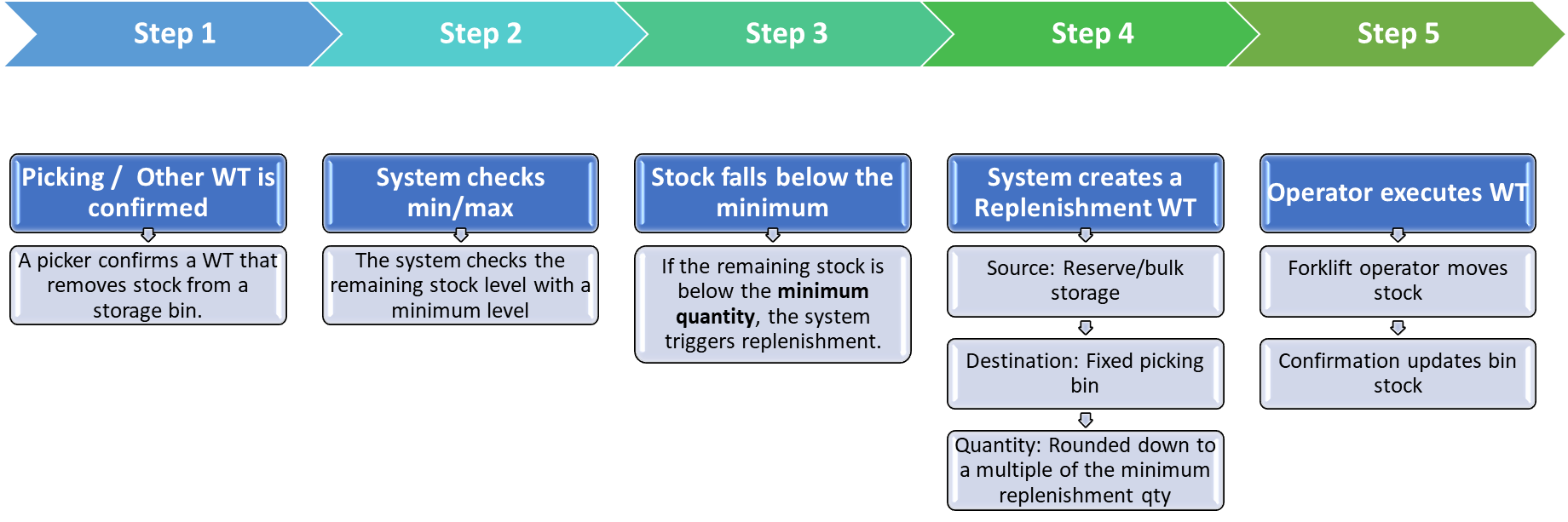
Fig. Automatic Replenishment
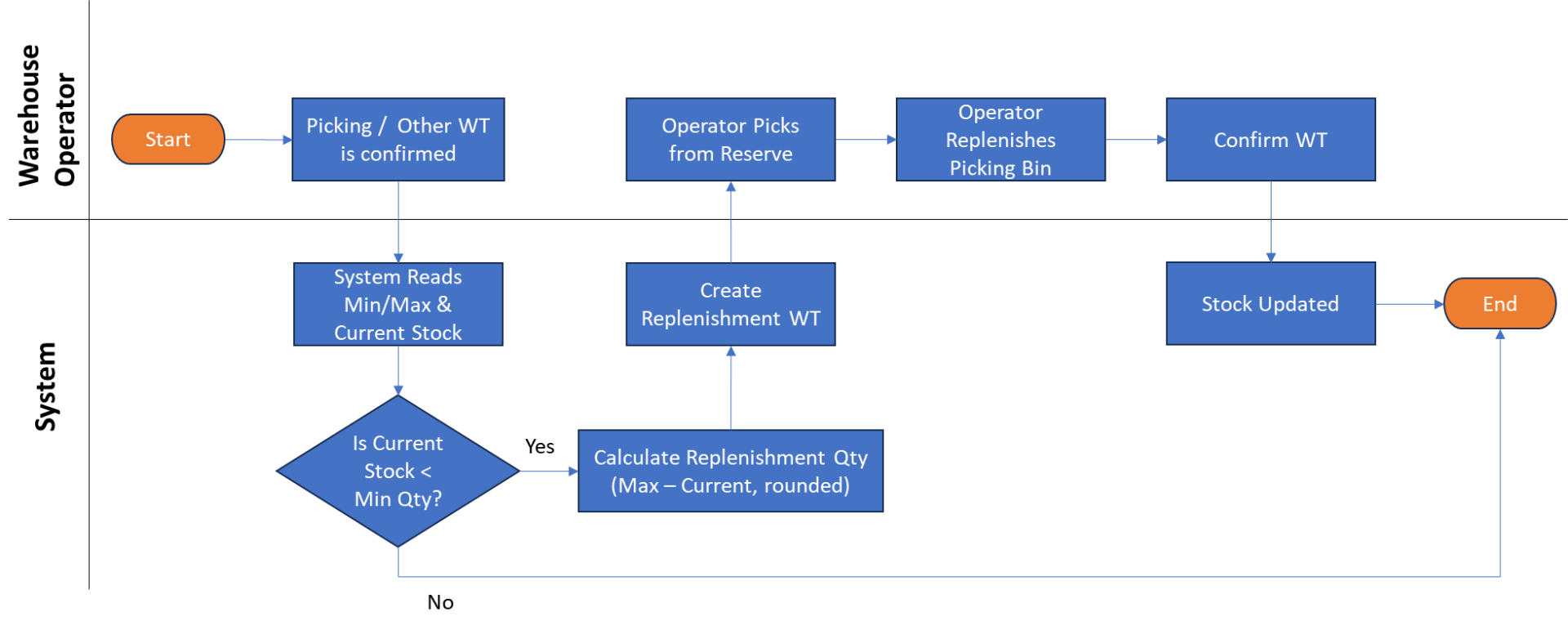
Fig. Automatic Replenishment Process Flow
