Order-Related Replenishment
Order-related replenishment procedures can either be triggered interactively by users or set to run automatically in the background.
Order-related replenishment is triggered when the system identifies an open warehouse request for which there is insufficient stock in the source storage bin to fulfill the requested quantity.
The system automatically rounds up the replenishment quantity to the nearest multiple of the minimum required amount. Additionally, you can exceed the maximum quantity limit.
During order-related replenishment, the system factors in the requested batches from open delivery orders to optimize the replenishment process.
The system calculates the replenishment quantity based on the minimum and maximum quantity settings in the master data (Product master for storage type level or BINMAT for storage bin level replenishment).
Replenishment Level:
- At the storage type level
- At the storage bin level for the fixed bin
When to Use
- You want replenishment only when orders require it.
- Picking bins should not be filled to max unless needed.
- You want to avoid unnecessary replenishment movements.
- You have high‑mix, variable‑demand products.
- You want to ensure zero shortages during picking.
Trigger:
- Checks open warehouse requests (outbound delivery orders).
- Compares required quantity vs. available stock in the picking bin.
- If stock < required quantity → replenishment is triggered.
- Replenishment quantity is rounded up to a multiple of the minimum replenishment quantity.
- The system may exceed the maximum quantity if needed to fulfill the order.
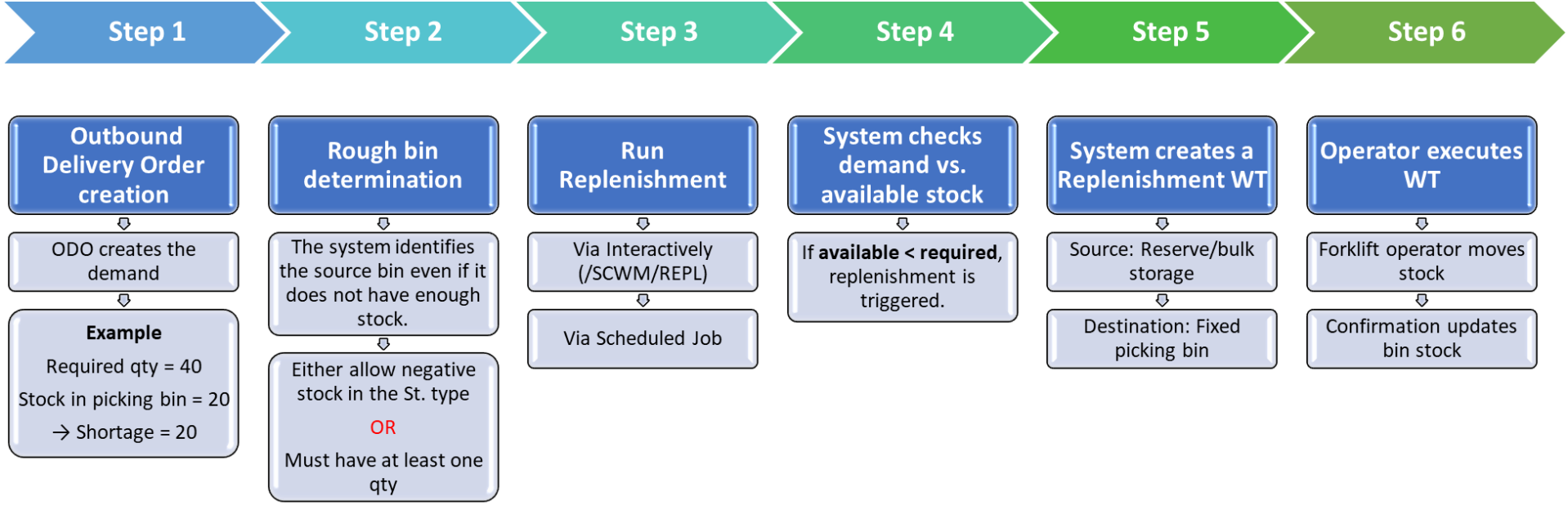
Fig. Order Related Replenishment
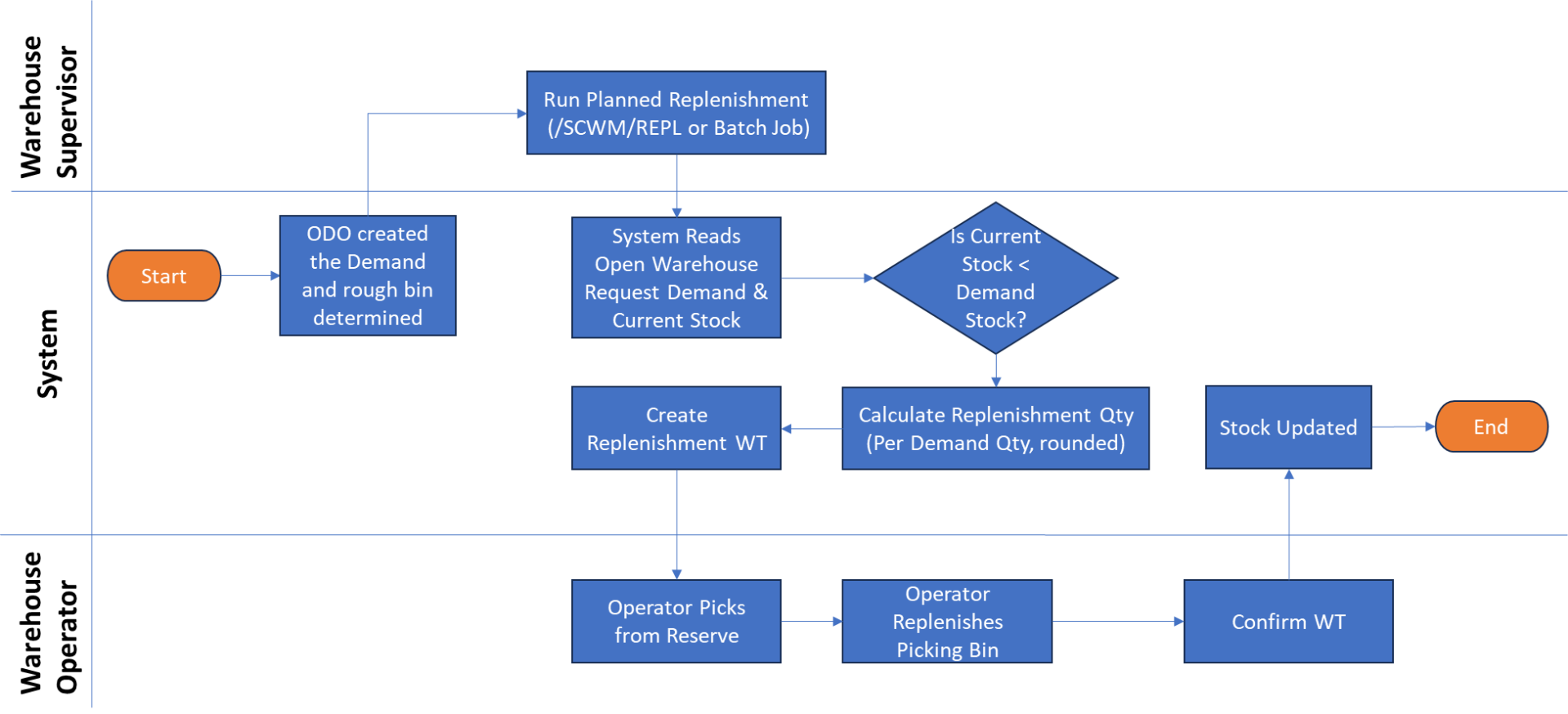
Fig. Order Related Replenishment Process Flow
